WooCommerce integration

WooCommerce stores are supported alongside Shopify, so agencies can serve both with one client record.

Stock photos and example labels, not customers.

How the data moves

From WooCommerce to your report. Back only with a yes.

Planned connector: not built yet. When it is, it will follow this same path.

  1. WooCommerceReads orders and refunds
  2. 🔑Token vaultRead-only token, encrypted on the server
  3. One recordStored per client, with currency and time zone kept
  4. ▦Your reportSource, formula and sync time on every number
  5. ✎ProposalA change such as: the matching write operations, where you grant the keys and the store allows them
  6. ✓Preview and yesBefore and after, then a person with the right role approves
  7. ⎙Written onceAn idempotency key, so a retry cannot repeat the change
  8. ↻Read back, loggedWooCommerce is read again, compared and logged
Read: on by default, read-onlyWrite: off until you grant it, then every change needs approval

WooCommerce in daily use

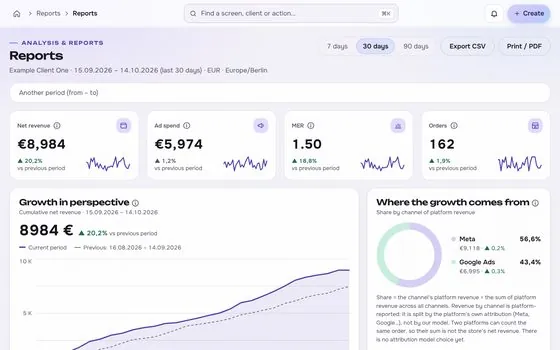
01

What it reads first

Orders and refunds

What it reads first, shown on an app screen with test data
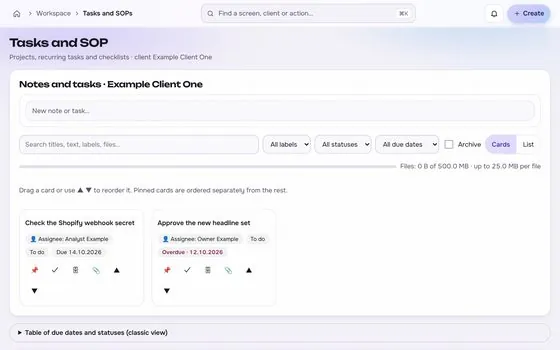
02

What it can change, after a yes

The matching write operations, where you grant the keys and the store allows them

What it can change, after a yes, shown on an app screen with test data

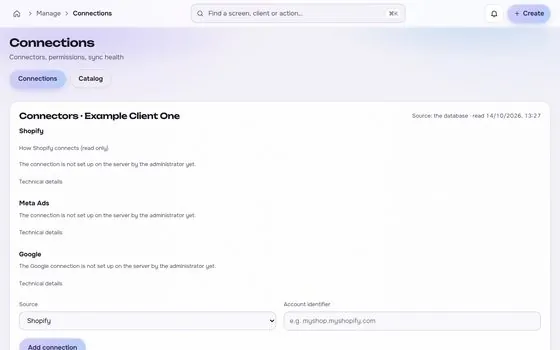
Photos are stock images. App screens show test data.

In numbers

3things it reads
1things it can change, after approval
2things you need to connect
1limits stated

WooCommerce: reads, writes and limits

  • Orders and refunds
  • Products
  • Coupons
  • The matching write operations, where you grant the keys and the store allows them

Always after preview and approval.

  • A REST API consumer key and secret for each store
  • Store security settings that allow the connection
  • Behaviour differs by WooCommerce version and plugins, so each adapter is tested on a staging store first.

Before you connect

Your ticks stay in this browser only.

Common data differences

General practice, not a claim about any one account.

Difference

Caching and consent banners

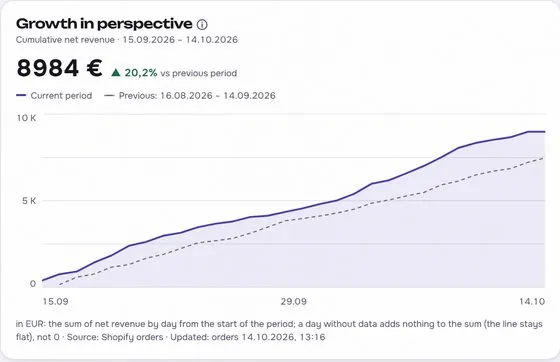
Caching can serve an old copy of a page. A consent banner can stop tracking for visitors who decline. Both can make web analytics show fewer visits or purchases than the store recorded. Check both settings before you compare the two sources.
Difference

Order statuses and manual orders

Orders in pending, on hold or failed states may count in one report and not in another. Orders that staff create by hand often have no ad click behind them. Agree which statuses count before you compare totals.

Difference

Time zone, tax and shipping rules

The site, the server and the reporting tool can use different time zones. Totals can also differ by how tax, shipping and rounding are applied. Compare revenue with the same tax and shipping rules on both sides.

Questions about WooCommerce

Is the WooCommerce connection read-only?

It starts read-only. Changes are added only where the platform grants the permission, and each one is previewed, approved, sent once, read back and logged.

Where is the token stored?

In an encrypted vault on the server, never in the browser, in logs or in an AI prompt.

Is the WooCommerce connector available now?

Not yet. It goes live after the platform access is in place. Request access to be told when it does.

Built for shop owners, creators and agencies. Stock photos, not customers.

Run the next client review from one screen.

We open one agency at a time, with your own accounts connected read-only first.

Request access

How we plan to price it