Email results next to everything else

Campaigns, flows, audience size and sending domains from the email tools your clients already use, shown per client with the source and formula behind every number. Read-only today.

app.roasfinity.com/measure/email-marketing
Email screen in the ROASfinity app, with test data

Floating cards and figures are examples on sample data, not a customer account.

1The proof

Every number comes with its receipt.

Sample data, fictional brand. This is how Email shows a figure: the value, where it came from, the formula behind it and when it was last updated.

EmailSample data, fictional brand
Autumn promo, sentClicks 2.1%Source and formulaClicks / deliveredUpdatedsynced 18 min ago
Welcome flowOpens flagged inaccurateSource and formulaApple Mail Privacy inflates opensUpdatedsee source
Email revenuenot measuredSource and formulaThe platform does not report revenueUpdatednever shown as 0
Newsletter audienceCount onlySource and formulaNo contacts are shownUpdatedsee source

Rule: every number shows its source, formula and update time. A missing source reads "not measured", never 0.

2Part of Measure

Email: what it does.

One of four areas of the product, sharing the same client record, roles and log.

01

Six platforms, one view

Klaviyo, Mailchimp, Brevo, Resend, SendGrid and Postmark are read per client. Each platform reports different things, and the page says what each one does and does not provide.
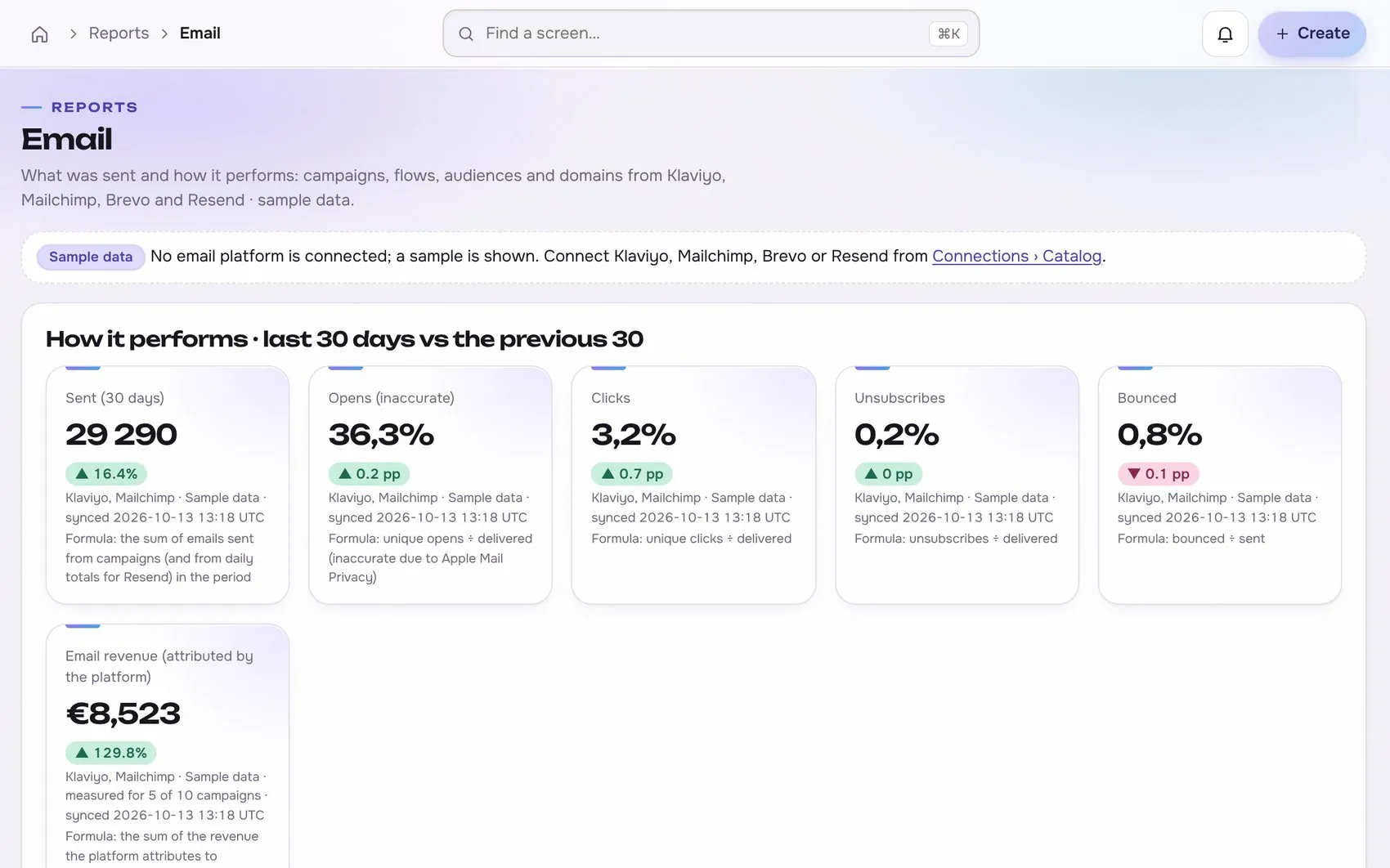
Email in the app, with test data
02

Opens are flagged, not trusted

Automatic opens from Apple Mail Privacy inflate open rates, so opens carry an inaccuracy label. Clicks, unsubscribes and bounces are shown next to them with their formulas.

03

Missing means not measured

Revenue appears only where the platform attributes it, and is labelled as platform-attributed. Where a platform gives no number, you see not measured, never zero.

Works with

Read-only first

Connections start read-only. Writing is switched on per account, only after you grant the rights.

At a glance

Stated up front

things it does
3
steps start to finish
4
platform connections
0
limits stated
3
3The data path

How the data moves. Source to screen.

Lines draw as you scroll. Platforms on the left are read-only first, Email sits on the one client record, and each output keeps its receipt.

Your storeRead-only first
Your ad accountsRead-only first
ROASfinityEmail
Six platforms, one view
Opens are flagged, not trusted
Missing means not measured

Sources are read first, the numbers are stored once per client, and every output shows its source, formula and update time.

How the work moves in Measure

The same four moves apply to every module in this area.

  1. 1 ReadConnected sourcesOrders, spend and results come from the store and ad platforms, read-only first.
  2. 2 ComputeFixed formulasMER, CAC and the rest are defined once, in the open, the same for every client.
  3. 3 ShowSource on every numberEach figure carries its source, formula and the time it was updated.
  4. 4 FlagNot measured, never zeroWhen data is missing the screen says so, instead of showing a made-up value.
4The routine

How it works, step by step.

From first connection to the number a client sees.

  1. 1

    Connect a platform read-only

    Add the key for the email tool. It is kept on the server, never in the browser.

    Email app screen with test data
    Step 1Connect a platform read-onlyexample
  2. 2

    Sync per client

    Campaigns, flows, audience counts and domains are read into the client record. Another client's data is never visible.

    Step 2Sync per clientexample
  3. 3

    Compare with the previous period

    Sent, opens, clicks, unsubscribes and bounces are shown for the last window against the one before.
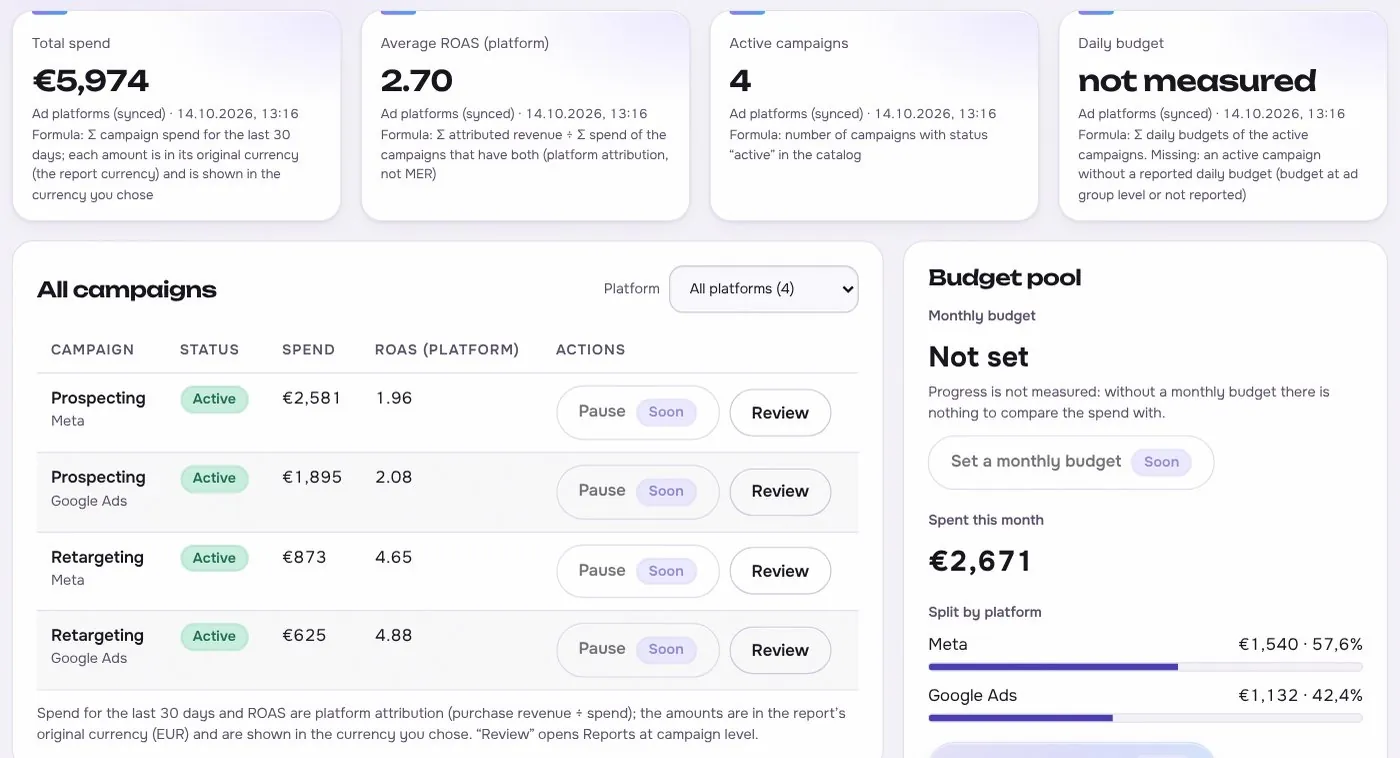
    Email app screen with test data
    Step 3Compare with the previous periodexample
  4. 4

    Open any number

    Point at a figure to see its source, formula and sync time.

    Step 4Open any numberexample
5In use

Built for businesses like these. Example scenes.

Photos are stock images that show the kind of business this is built for. They are examples, not customers.


Examplethe weekly reporting desk
Examplea small team
Examplea cafe or local shop
Examplea creator studio

Stock photos and example labels, not customers.

6Honest limits

What it will not claim, and what it works with.

What it will not claim

  • Reading only. Sending, creating or changing campaigns is planned and would go through preview, approval, a single write, read-back and the log.
  • Platforms differ: Resend reports sent emails by status and domains without opens or clicks, Postmark covers transactional mail without campaigns, and Brevo automations are not read.
  • The connectors are built against fixtures and the vendors' documentation. They have not yet been tested against live accounts.

Works with

Connections are read-only first and go live only after the platform access is approved.

No platform connection is needed for this module.

Built: the connector exists in the product and goes live per account once access is granted. Planned: not built yet.

Used instead of

No single tool replaces this module; it connects work that is usually split across several.

8FAQ

Questions about email.

Which email platforms are supported?

Klaviyo, Mailchimp, Brevo, Resend, SendGrid and Postmark, read-only. Each connector is built and tested on sample data, and none has been verified against a live account yet.

Can it send or change campaigns?

Not today. Sending and editing are planned, and would follow the same flow as ad changes: proposal, preview, approval, one write, read-back and a log entry.

Why are open rates marked inaccurate?

Apple Mail Privacy opens mail automatically, which inflates opens. Clicks are the steadier signal, so both are shown with their formulas.

Does it show my subscribers?

No. Audiences appear as counts and growth over time, not as lists of contacts.

Run the next client review from one screen.

We open one agency at a time, with your own accounts connected read-only first.