Creative analytics by creative ID

Every ad links to a creative ID, an asset version and tags for format, hook, offer, persona, angle, first frame and length. Results come from your own ad accounts.

app.roasfinity.com/measure/creative-analytics
Creative analytics screen in the ROASfinity app, with test data

Floating cards and figures are examples on sample data, not a customer account.

1The proof

Every number comes with its receipt.

Sample data, fictional brand. This is how Creative analytics shows a figure: the value, where it came from, the formula behind it and when it was last updated.

Creative analyticsSample data, fictional brand
cr_1042 v2UGC video 9:16Source and formulaHook: question. Spend EUR 2,140Updatedsee source
cr_1051 v1CarouselSource and formulaHook: social proof. Spend EUR 860Updatedsee source
cr_1073 v1Video 9:16Source and formulaUntagged, ad rejectedUpdatedsee source

Rule: every number shows its source, formula and update time. A missing source reads "not measured", never 0.

2Part of Measure

Creative analytics: what it does.

One of four areas of the product, sharing the same client record, roles and log.

01

One identity from tag to ad

From a tag such as a hook you reach the ads that use it and their real metrics, with versions kept apart.
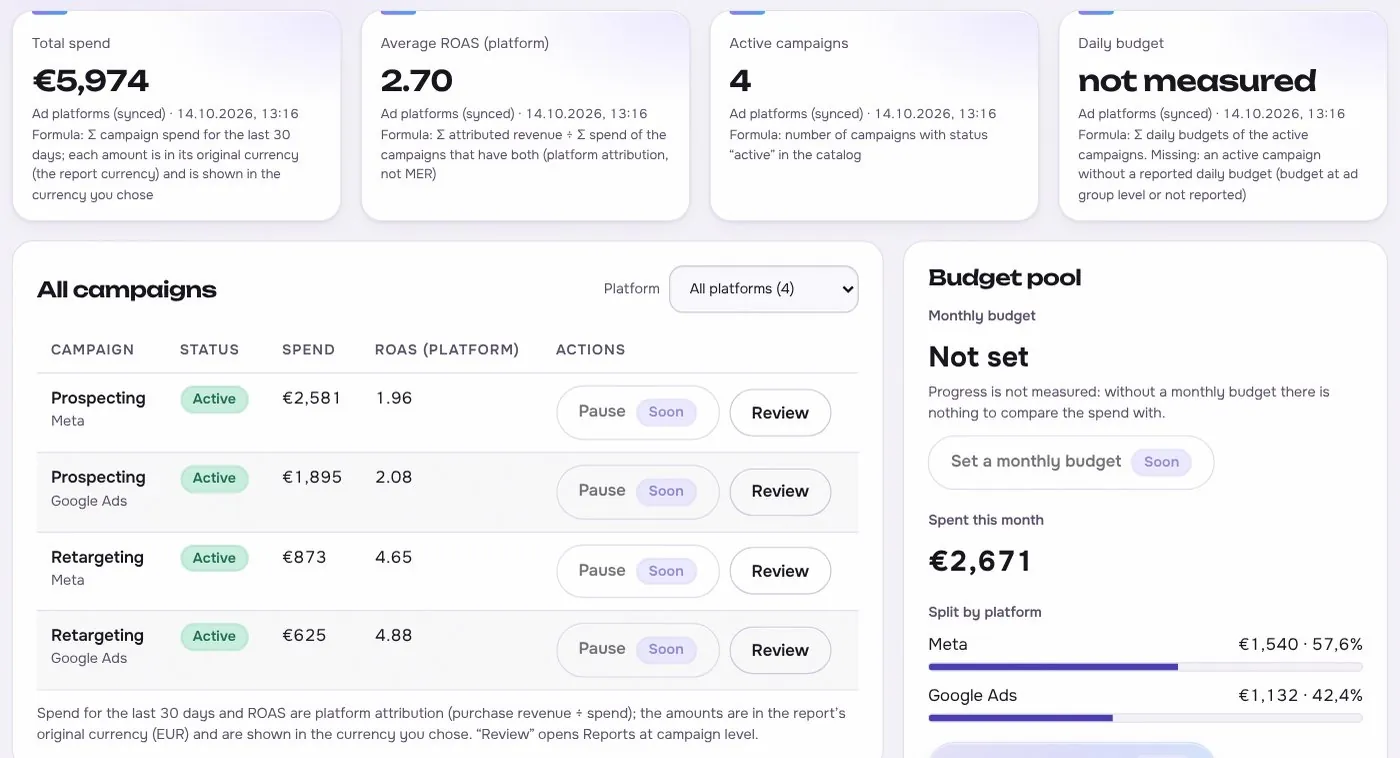
Creative analytics in the app, with test data
02

Tags you can correct

An analysis model suggests tags and you edit them. Your correction wins and stays.

03

Compare what matters

Compare hooks, offers and personas side by side and feed the winners into the next brief.

Works with

3 platforms, read-only first

Connections start read-only. Writing is switched on per account, only after you grant the rights.

At a glance

Stated up front

things it does
3
steps start to finish
4
platform connections
3
limits stated
2
3The data path

How the data moves. Source to screen.

Lines draw as you scroll. Platforms on the left are read-only first, Creative analytics sits on the one client record, and each output keeps its receipt.

Meta AdsBuilt
TikTok AdsPlanned
Google AdsBuilt
ROASfinityCreative analytics
One identity from tag to ad
Tags you can correct
Compare what matters

Sources are read first, the numbers are stored once per client, and every output shows its source, formula and update time.

How the work moves in Measure

The same four moves apply to every module in this area.

  1. 1 ReadConnected sourcesOrders, spend and results come from the store and ad platforms, read-only first.
  2. 2 ComputeFixed formulasMER, CAC and the rest are defined once, in the open, the same for every client.
  3. 3 ShowSource on every numberEach figure carries its source, formula and the time it was updated.
  4. 4 FlagNot measured, never zeroWhen data is missing the screen says so, instead of showing a made-up value.
4The routine

How it works, step by step.

From first connection to the number a client sees.

  1. 1

    Read your own ads

    Creatives and results are read from the connected ad accounts.

    Creative analytics app screen with test data
    Step 1Read your own adsexample
  2. 2

    Tag

    Suggested tags appear next to each creative for you to confirm or change.

    Step 2Tagexample
  3. 3

    Compare

    Group by hook, offer, persona or format and read spend and outcome.
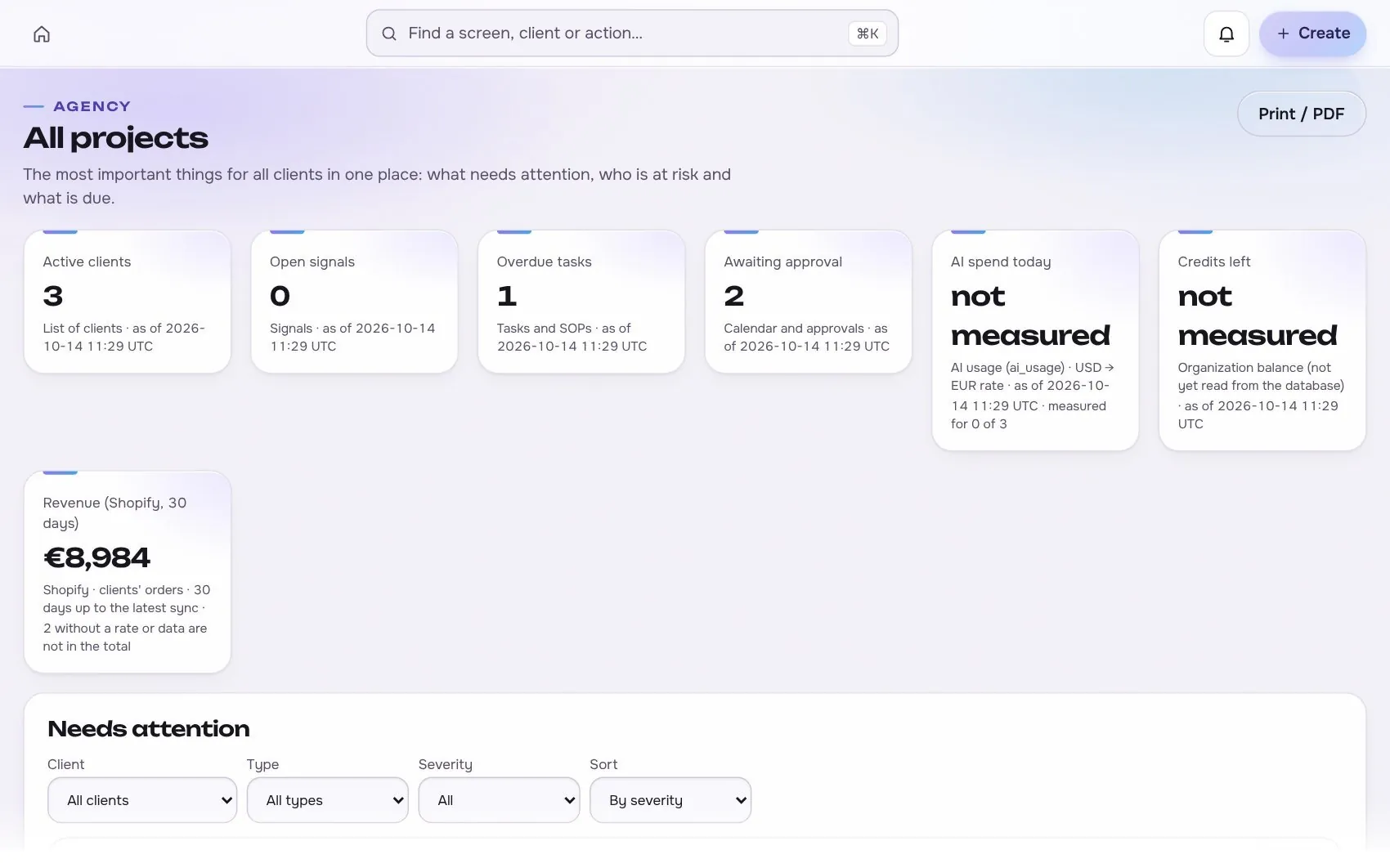
    Creative analytics app screen with test data
    Step 3Compareexample
  4. 4

    Brief the next test

    Send the evidence to the brief and the launcher.

    Step 4Brief the next testexample
5In use

Built for businesses like these. Example scenes.

Photos are stock images that show the kind of business this is built for. They are examples, not customers.


Examplethe weekly reporting desk
Examplea cafe or local shop
Examplean online shop
Examplea small team

Stock photos and example labels, not customers.

6In practice

Common mistakes, and a short checklist.

General practice for this kind of work, not a claim about any one tool.

Mistake

Calling a winner from too little data

A creative that leads after a few conversions may just be lucky. Set the minimum sample and the time window before the test starts.

Mistake

Comparing creatives on different audiences

If one ad ran to cold traffic and another to past visitors, the numbers do not compare. Compare creatives on the same audience, budget and placement, or write the difference next to the result.

Mistake

Reading clicks without the rest of the funnel

A strong click rate with weak sales points to a message or offer problem, not to a winner. Read each creative from the first view to the purchase before you rank it.

A short checklist

Your ticks stay in this browser only.

7Honest limits

What it will not claim, and what it works with.

What it will not claim

  • Tags are model suggestions and can be wrong, so every tag is editable.
  • Results show what happened in one account. They do not prove why.

Works with

Connections are read-only first and go live only after the platform access is approved.

Built: the connector exists in the product and goes live per account once access is granted. Planned: not built yet.

Used instead of

Teams often use tools such as Motion or Atria for this. Our comparison pages are drafts being verified.

10FAQ

Questions about creative analytics.

What is a creative ID?

A stable identity for one creative across its versions and the ads that use it. It is what lets a tag lead to ads and metrics without matching by name.

Can I tag by hand?

Yes. Suggestions are optional and every tag can be edited or removed.

Does it work without Meta?

The model is platform neutral. Meta comes first, and TikTok and Google Ads follow as their access is approved.

Run the next client review from one screen.

We open one agency at a time, with your own accounts connected read-only first.