Budget allocation with limits and a paper trail

Propose a budget shift, compare scenarios inside limits, and record what you expected next to what happened. Applying it goes through approval.

app.roasfinity.com/measure/budget-allocation
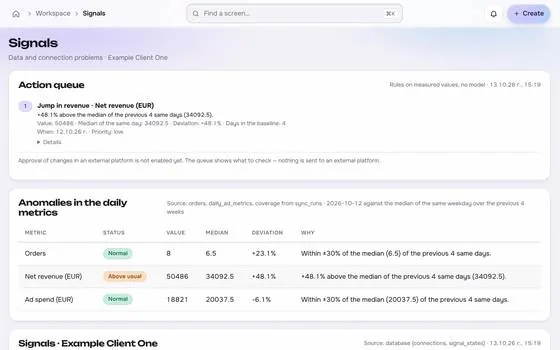
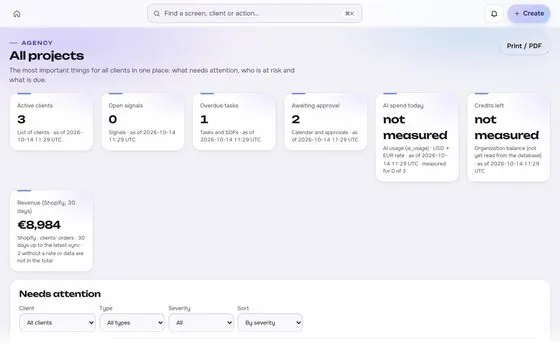
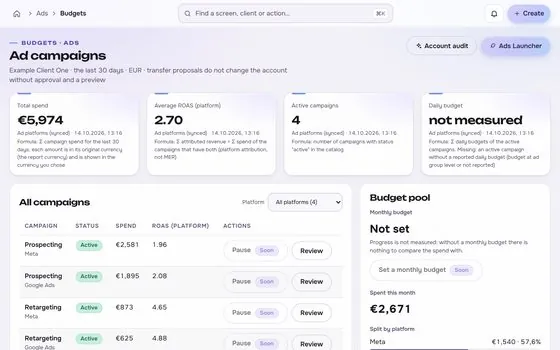
Budget allocation screen in the ROASfinity app, with test data

Floating cards and figures are examples on sample data, not a customer account.

1The proof

Every number comes with its receipt.

Sample data, fictional brand. This is how Budget allocation shows a figure: the value, where it came from, the formula behind it and when it was last updated.

Budget allocationSample data, fictional brand
ProspectingEUR 120 to EUR 150Source and formulaWithin the 25% step limitUpdatedsee source
RetargetingEUR 60 to EUR 55Source and formulaFloor EUR 40Updatedsee source
Kill switchOffSource and formulaArmed for this ruleUpdatedsee source

Rule: every number shows its source, formula and update time. A missing source reads "not measured", never 0.

2Part of Measure

Budget allocation: what it does.

One of four areas of the product, sharing the same client record, roles and log.

01

Scenarios inside limits

Set floors, ceilings and step sizes, then compare the proposed split with the current one.
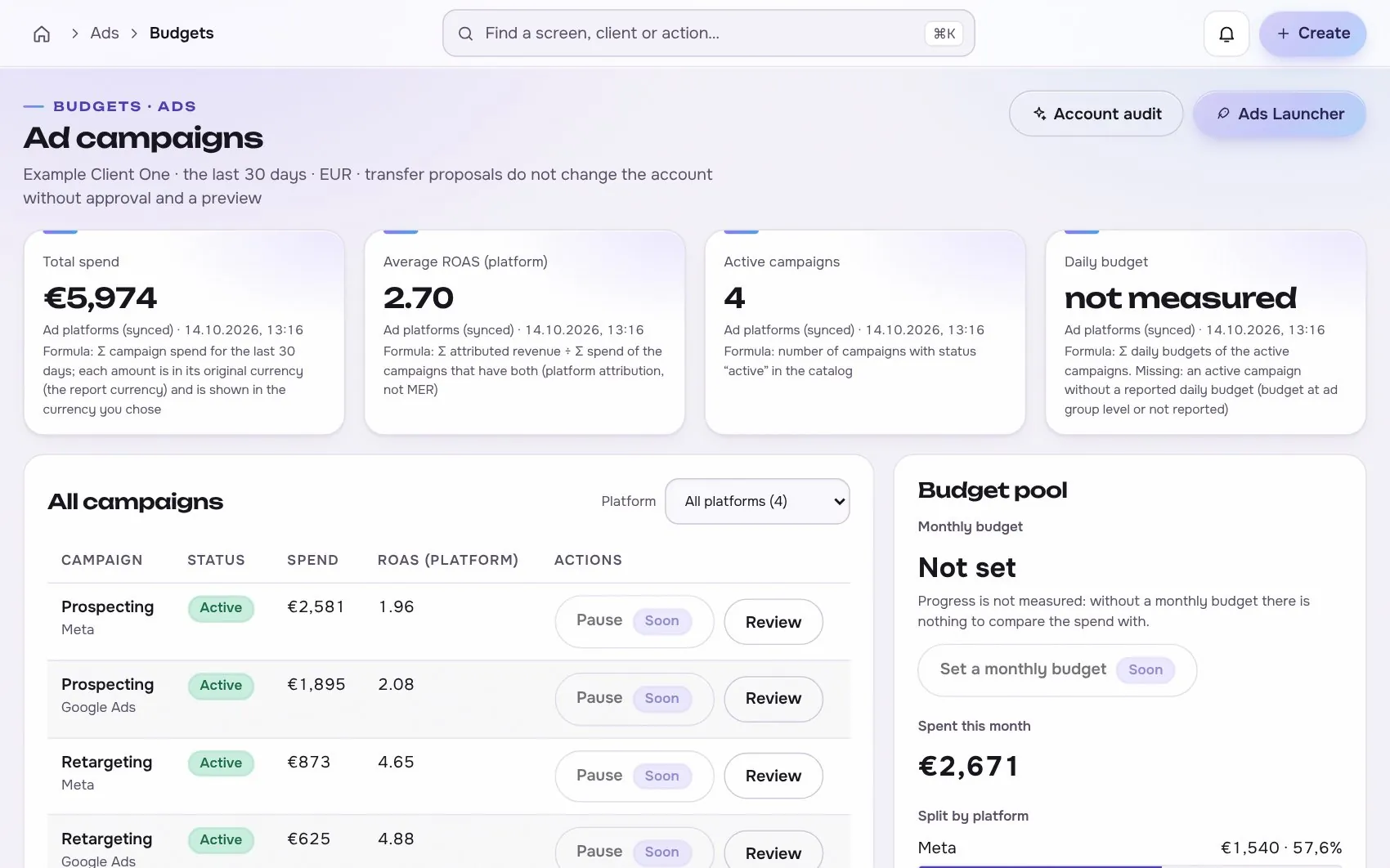
Budget allocation in the app, with test data
02

No scaling on one good day

Rules need a minimum sample, a cooldown and a time window. A single day of ROAS never triggers scaling.

03

Expected versus actual

Each shift stores the expectation and later the real result, so decisions can be reviewed.

Works with

2 platforms, read-only first

Connections start read-only. Writing is switched on per account, only after you grant the rights.


At a glance

Stated up front

things it does
3
steps start to finish
4
platform connections
2
limits stated
2
3The data path

How the data moves. Source to screen.

Lines draw as you scroll. Platforms on the left are read-only first, Budget allocation sits on the one client record, and each output keeps its receipt.

Meta AdsBuilt
Google AdsBuilt
ROASfinityBudget allocation
Scenarios inside limits
No scaling on one good day
Expected versus actual

Sources are read first, the numbers are stored once per client, and every output shows its source, formula and update time.

How the work moves in Measure

The same four moves apply to every module in this area.

  1. 1 ReadConnected sourcesOrders, spend and results come from the store and ad platforms, read-only first.
  2. 2 ComputeFixed formulasMER, CAC and the rest are defined once, in the open, the same for every client.
  3. 3 ShowSource on every numberEach figure carries its source, formula and the time it was updated.
  4. 4 FlagNot measured, never zeroWhen data is missing the screen says so, instead of showing a made-up value.
4The routine

How it works, step by step.

From first connection to the number a client sees.

  1. 1

    Draft

    Pick campaigns and a goal. The system proposes a split.

    Budget allocation app screen with test data
    Step 1Draftexample
  2. 2

    Check limits

    The preview shows the exact budgets, the delta and the cost impact.

    Step 2Check limitsexample
  3. 3

    Approve

    Someone with the right role approves the change.
    Budget allocation app screen with test data
    Step 3Approveexample
  4. 4

    Review

    Compare the outcome with the expectation after the window.

    Step 4Reviewexample
5In use

Built for businesses like these. Example scenes.

Photos are stock images that show the kind of business this is built for. They are examples, not customers.


Examplethe weekly reporting desk
Examplea small team
Examplean online shop
Examplea cafe or local shop

Stock photos and example labels, not customers.

6In practice

Common mistakes, and a short checklist.

General practice for this kind of work, not a claim about any one tool.

Mistake

Moving budget on one day of data

Daily results are mostly noise. Decide on a stable window and the break-even line.

Mistake

Scaling past the margin

A budget that grows while break-even ROAS is not met only increases the loss.

Mistake

Changing several things at once

Move one budget at a time so the effect can be read.

A short checklist

Your ticks stay in this browser only.

7Honest limits

What it will not claim, and what it works with.

What it will not claim

  • It does not promise results. It makes a decision and its outcome visible.
  • Platform budget APIs differ, so each platform is supported only after its permissions are in place.

Works with

Connections are read-only first and go live only after the platform access is approved.

Built: the connector exists in the product and goes live per account once access is granted. Planned: not built yet.

Used instead of

Teams often use tools such as Madgicx for this. Our comparison pages are drafts being verified.

10FAQ

Questions about budget allocation.

Can it scale budgets automatically?

Only inside narrow, explicit rules with a minimum sample, a cooldown, a time window and a kill switch. Nothing scales on one day of ROAS.

Where are the limits set?

Per client and per rule. The preview shows the exact amounts before anything is sent.

Does it work across platforms?

Budgets are compared per platform. Cross platform ROAS is never added up, so a shift is judged with platform and store numbers side by side.

Run the next client review from one screen.

We open one agency at a time, with your own accounts connected read-only first.